Coupons & featured placement — how it actually works
A short visual guide showing exactly what a customer sees when redeeming a coupon, how you confirm the redemption from your phone while logged into your business account, how publishing a coupon also lifts your listing, and why it's worth pairing with featured placement.
This guide is built from real screenshots of the system, not a video — so it stays accurate, clear, and easy to come back to.
The coupon flow, in two steps
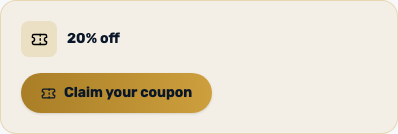
The customer finds and claims a coupon on your page
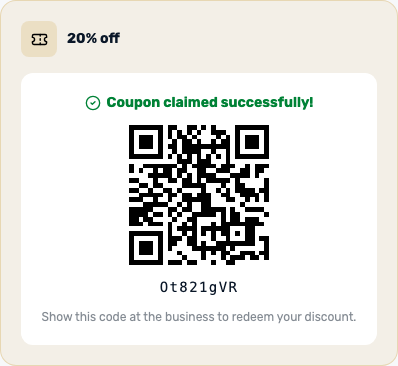
Once you activate a coupon batch and publish it, it appears on your business page with the discount percentage. From the moment it's published, a small discount badge ("15% off") also shows on your card in the category and destination listings, not only on your business page. A logged-in customer who taps the button gets a one-time personal code and a QR code. Each customer can only redeem one coupon per business — a second attempt is blocked automatically.
You confirm the redemption — with your regular phone camera
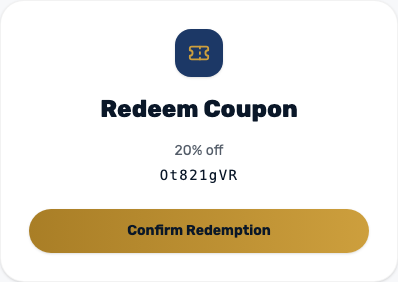
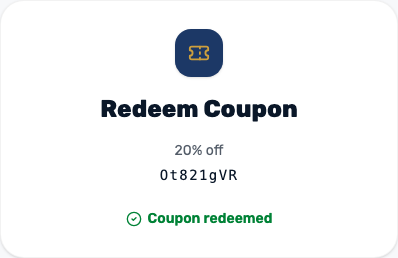
When the customer arrives at your business, they show the QR code or number code on their screen. Scan it with your phone's regular camera — no separate scanning app needed. The scan opens a page in your mobile browser; as long as you're logged into your partner account, you'll see a single "Confirm redemption" button. After confirming, the status permanently changes to "redeemed", so that code can't be used twice.
Getting the most out of it
How to buy a coupon package
In your dashboard, under "Buy a coupon package", choose a quantity (10 or more — the more you buy, the lower the per-unit price) and the discount percentage customers will get (5% or 10%). The estimated price shows immediately. Click "Add to cart", then complete a secure PayPal payment at the bottom of the page. The batch appears right away in your dashboard — in "not published" status until you decide to turn it on.
Full control: publish and unpublish with one click
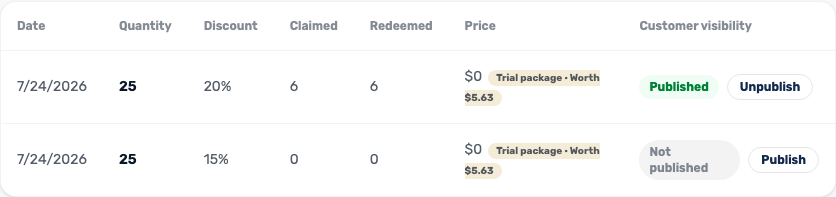
A coupon batch isn't shown to customers automatically. Whether you purchased it or received it as a free trial, it waits in "not published" status until you turn it on. The table in your dashboard shows how many coupons were claimed and redeemed, and you can unpublish at any moment — for example if you run out of stock mid-month.
Publishing a coupon lifts your listing
An active coupon pays off in placement too, not just in the discount itself. A business with a published coupon and stock left is shown on the category page and the destination page above every free business with no coupon — with the discount badge on its card. The order among coupon businesses follows the site's own ranking.
Why featured placement matters in practice
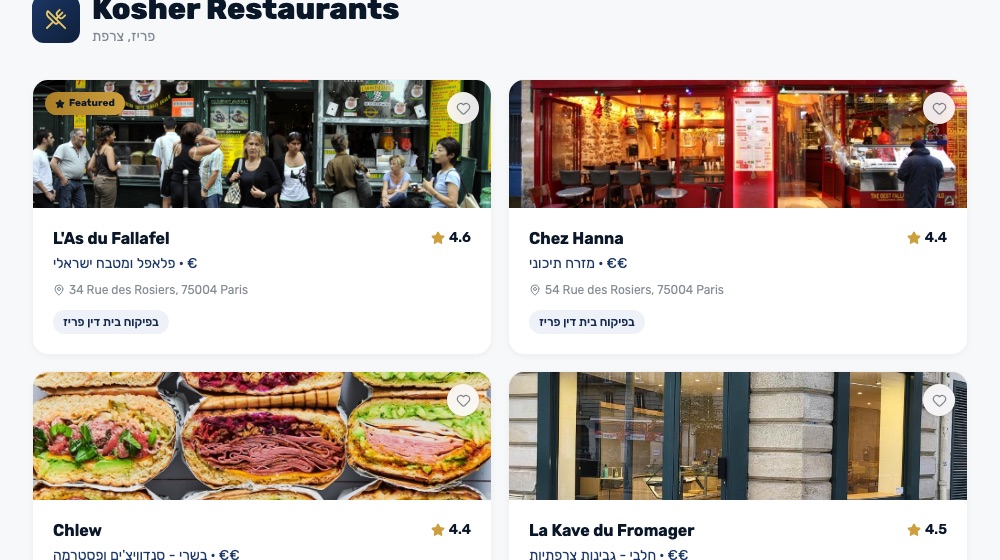
A business with an active featured placement gets a gold "Featured ⭐" tag and appears first on the category page — ahead of every other business, even ones with a higher rating. It's not just a label, it's a position. The example below shows the "Kosher Restaurants in Paris" page: the featured business appears first, ahead of a higher-rated business with no promotion. Featured sits above everyone, including businesses with an active coupon: a coupon lifts them above the free listings, and featured lifts you above them.
Ads — currently free of charge
An ad is the highest tier on the category page: a blue "Ad" tag, first position — ahead of even featured businesses — and a card twice the normal size that draws the eye. Right now, as a partner benefit, ads are free and unlimited in time: in your dashboard, click "Activate free ad" and it's live immediately.
A few more tips worth knowing
- Keep an eye on the coupon activity log in your dashboard — it shows exactly which coupons were claimed and when they were redeemed, so you know your return in real time.
- Update your photos and details via "My listing" every so often — a page with fresh, appealing photos converts better even without a discount.
- Changes made via "My listing" only take effect after admin approval — send updates ahead of time, not at the last minute before an event.
- Don't leave a coupon batch sitting in "not published". Even a small batch, once published, adds a discount badge to your card and lifts you above the free listings.
- Time it smart: turn on featured placement and a coupon together during busy periods (holidays, weekends) to get the best return on both.
Getting to know your audience
Visitor analytics dashboard
In your dashboard, under "Visitor Analytics", you'll find live data about traffic to your business page — not just how much, but who and from where:
- Visitor breakdown by country (with flags) — where in the world the people viewing you are coming from.
- Clicks by type — how many people clicked WhatsApp, your website, Google Maps, the discount voucher and more, so you know what actually drives people to act.
- Daily visitor trend over the last 14 days — unique visitors and pageviews on your page each day, so you can see if traffic is growing or shrinking.